 Tobi Makinde
Which database should you start with? A plain-language guide
1 Nov 2026, 8 min read
Before a single screen is built, every software project hits the same question: where does the data live? Pick well and nobody thinks about it again. Pick badly and you feel it every week, in slow pages, awkward code and surprise bills.
I have built products on PostgreSQL (mostly through Supabase), MongoDB and Firebase Firestore, so this is the guide I wish I had read earlier. It is written for founders who need to make or approve this decision, and for developers who want a clear way to explain it.
The short version
Start with a relational database, usually PostgreSQL, unless you can name a specific reason not to. Add a second, specialised database later, and only when you can point to a measured problem it solves.
The rest of this post explains why, so you can judge for yourself.
What a relational database is
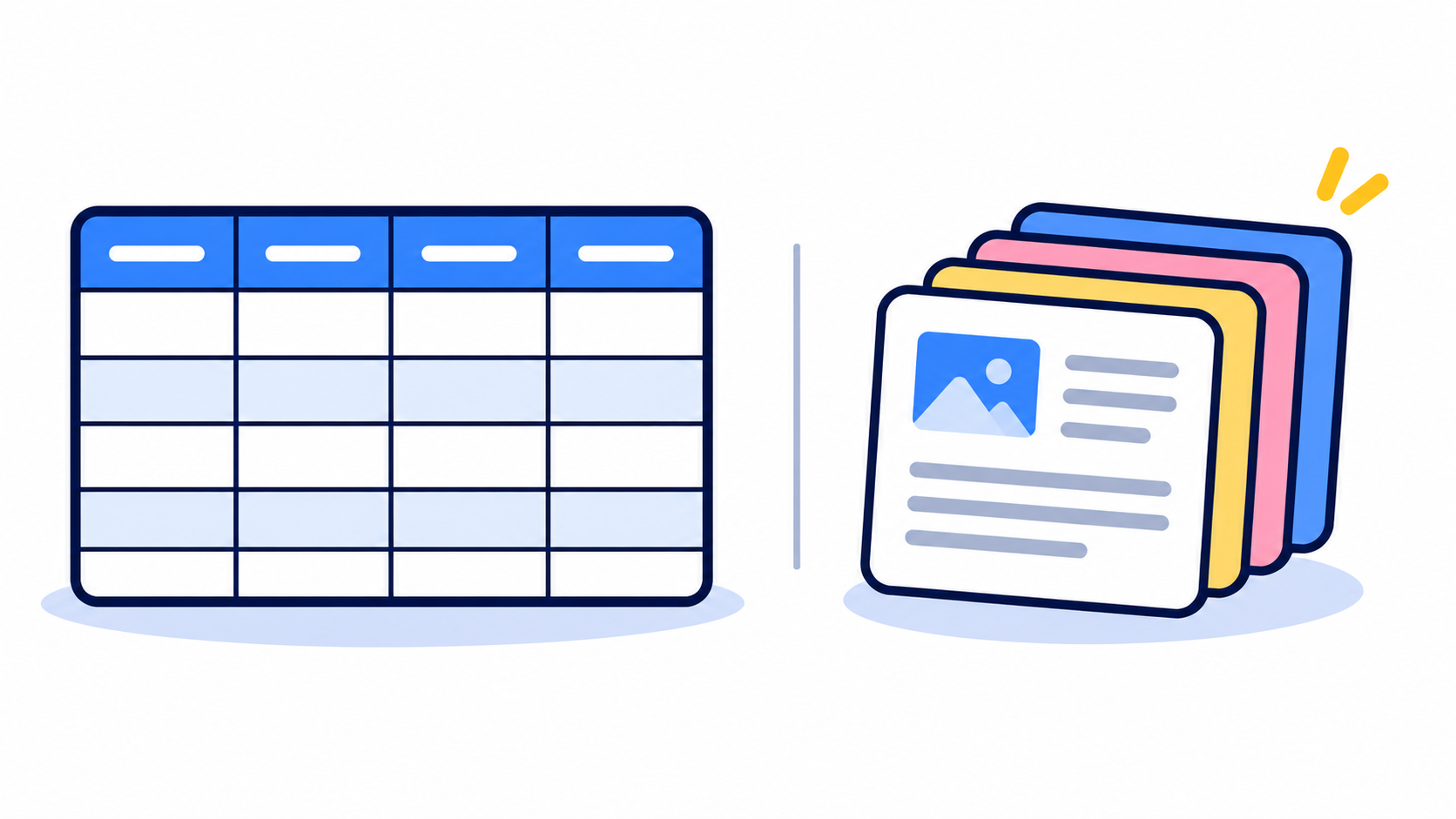
Picture a set of spreadsheets with strict rules. One sheet lists customers, another lists orders, another lists the items in each order. Every column has a fixed type (a date, a number, text), and rows in one sheet point to rows in another, so an order always belongs to a real customer.
That is a relational database: data in tables, connected by relationships, queried with a language called SQL. PostgreSQL, MySQL, SQLite and SQL Server are the well-known ones.
Two things make it powerful:
- Relationships. You can ask questions that cut across your data, such as "which customers ordered more than three times this month and still have an unpaid invoice?" The database answers in one query.
- Transactions. A group of changes either all succeed or none do. When money moves between two wallets, you never end up with it removed from one and missing from the other. For payments, bookings and stock levels, this matters enormously.
The price: you design the structure first, and changing it later means a migration. That is a little more work early on, and it protects you from messy data later.
The other families (often called NoSQL)
"NoSQL" is not one thing. It is a set of tools, each built for a particular job.
- Document databases (MongoDB, Firestore) store flexible, JSON-like documents. An order becomes one document that contains its customer and its items. They are quick to start with and suit data whose shape varies.
- Key-value stores (Redis, DynamoDB) work like a giant dictionary: give a key, get a value, very fast. Redis keeps data in memory, which is why it is the usual choice for caching, sessions and rate limiting.
- Graph databases (Neo4j) store connections as first-class data, which suits questions like "friends of friends" or fraud rings.
- Search engines (Elasticsearch, OpenSearch, Typesense) are built for fast, typo-tolerant text search.
- Vector databases (Pinecone, Qdrant, or pgvector inside PostgreSQL) store embeddings so AI features can find things that are similar in meaning.
The same order, in two shapes
Here is one restaurant order. In a relational database it is spread across tables and put back together with a query:
select o.id, c.name, sum(i.quantity * i.price) as total
from orders o
join customers c on c.id = o.customer_id
join order_items i on i.order_id = o.id
where o.id = 42
group by o.id, c.name;
In a document database it is a single document:
{
  "id": 42,
  "customer": { "name": "Ada" },
  "items": [{ "name": "Jollof rice", "quantity": 2, "price": 3200 }]
}
The document version is quick to read, because one fetch returns the whole order. But the customer's name is now copied inside every order. If Ada changes her name, you must update every copy. The relational version stores it once. That duplication is the main price of the document model's flexibility.
Which one for which situation
| What you are building | Reach for |
|---|---|
| Shop, bookings, invoices, wallets, anything involving money | Relational |
| SaaS with teams, roles and permissions | Relational |
| Real-time mobile app or chat with offline support | Firestore, or Supabase with realtime |
| Catalogue where every item has different attributes | Document, or PostgreSQL with JSONB |
| Caching, sessions, rate limits, queues | Redis |
| "Friends of friends" or recommendation networks | Graph database |
| Typo-tolerant search across lots of text | A search engine |
| AI search by meaning | pgvector, or a dedicated vector database |
Speed, cost and ease of use
First, an honest note: speed depends far more on how you design your data and indexes than on which database you pick. A badly designed query is slow anywhere. With that said:
| Relational | Document | Key-value | |
|---|---|---|---|
| Speed | Strong for complex questions and reports | Very fast to fetch one whole record | Fastest for simple lookups, weak at searching |
| Cost | Cheap to run, many managed options with free tiers | Cheap early, but per-read billing (as with Firestore) can surprise you | Memory is pricier than disk, so keep the data small |
| Ease on day one | A little to learn: tables, SQL | Easiest, you just save objects | Easy, but only for simple jobs |
| Ease later | Gets easier as the product grows | Gets harder once you need reports and relationships | Stays simple because it stays small |
Pricing changes often, so check each provider's current pricing before you commit.
What I would start with, and why
I start almost every project on PostgreSQL, and I usually use it through Supabase, which adds login, ready-made APIs and realtime updates on top. The reasons are practical:
- Most business data is relational. Users, orders, payments and permissions all point at each other.
- It bends when you need it to. JSONB columns hold flexible data, built-in full-text search covers early search needs, and pgvector handles AI features, all in the same database.
- One database is easier to run. One backup, one bill, one thing to understand.
- It rarely runs out of room. PostgreSQL carries most products well past the scale they will ever reach.
There are fair exceptions. If you are prototyping a real-time mobile app with simple data and no complicated relationships, Firestore can get you moving fast. If your data really is a pile of independent documents, a document database is a natural fit. The point is to choose on purpose, not by habit or hype.
When to add a second database
Add one when you can name the problem and measure it. Typical signals:
- The same data is read over and over and your pages are slow. Add Redis as a cache in front of PostgreSQL.
- Search needs outgrow PostgreSQL. Add a dedicated search engine.
- Reports and analytics slow down your app. Move them to a read replica or a separate analytics store.
- Your core questions are about connections. Consider a graph database.
- AI search grows beyond what pgvector handles comfortably. Consider a dedicated vector database.
Every extra database means another bill, another thing to back up, and another way for data to go out of sync. Add them to fix a problem, not to look sophisticated.
Mistakes I would avoid
- "No schema means faster." A document database does not remove the structure, it moves it into your code. Skip the planning and you pay for it later.
- Picking by hype. Choose from your data and your questions, not from what is trending.
- Splitting too early. Three databases on day one is usually a sign of fear, not need.
- Forgetting backups. Whatever you pick, test restoring from a backup before you need it.
A quick checklist
- Does the data have relationships, such as users, orders and payments? Choose relational.
- Does accuracy matter, as with money, bookings or stock? Choose relational with transactions.
- Is the shape of your data truly unpredictable? Consider documents, or JSONB in PostgreSQL.
- Do you need instant live updates on mobile? Consider Firestore or Supabase realtime.
- Do you have a measured speed problem? Add a cache or a specialised store.
If you are weighing this for a real project, send me a brief. I am happy to talk it through and give you a straight recommendation.
Need something built?
Let’s talk